


Chat without internet,
no account, no spam.
chatbit links phones together over Bluetooth, and each phone relays messages from others: the more people, the farther it reaches.
Its anti-flood detects message floods and automatically blocks bots, right on the phone.
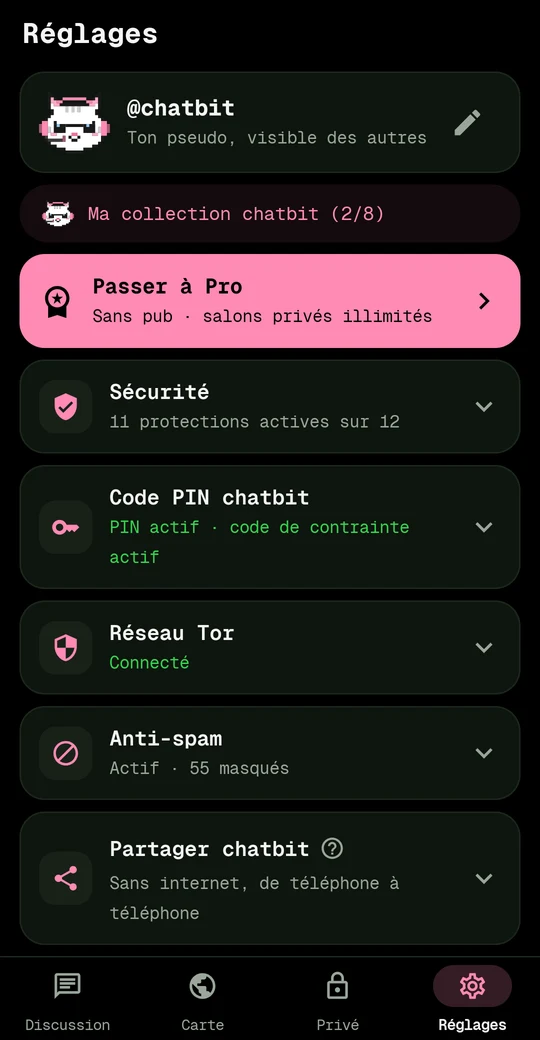
Choose a topic:
Why chatbitNothing to collect, no central server
A messaging app should belong to its users. chatbit starts from three simple ideas.
Nothing to collect
No account, no phone number, no email, no address book. No account, no tracking by chatbit. The free version shows an ad video on demand; Pro, none.
No single point
Without a central server, no one can 'shut down chatbit'. Messages go from phone to phone, or through public relays that anyone can run.
Security is free
PIN code, duress code, panic wipe, Tor, encryption: everything that protects people stays free, forever. Pro only sells server convenience.
Without internet: the meshMessages hop from phone to phone
A phone's Bluetooth reaches about 30 to 100 meters. That's not much. But chatbit turns each phone into a relay: your message hops from one phone to another, up to 7 hops.
- You type. Your phone sends the message to nearby chatbit phones.
- Each one forwards it to its own neighbors, who do the same.
- A message already seen is not forwarded again: no infinite echo.
- Private messages are encrypted: relays carry an envelope they cannot open.
At a festival, protest, or after a disaster, a few dozen phones are enough to cover an entire area, without a tower or internet.
The 4 ways to chatMesh, zones, private messages, private rooms
Mesh
Without internet, over Bluetooth, with people nearby. The #mesh room.
Zones
With internet, via Tor and public relays. Neighborhood, city, region.
Private messages
End-to-end encrypted, over the mesh or internet. The envelope at the top of the screen.
Private rooms
By invitation, encrypted, for chatbit users only.
Join a roomNear you, by code, in private, or on the map
When internet is available, chatbit also opens zone rooms: you chat with people from a neighborhood, city, or region, even if they are too far for Bluetooth.
Join a room (video)
- Near you. Tap the room name at the top right: chatbit lists rooms in your area, from the block to the region. Pick one and write.
- Elsewhere, by code. In the same list, type the code of an area (for example
u09tvw) then tap 'Teleport': you're now in that room, from afar. - Private. The lock creates a room in your name. Invite your friends via link or QR code; messages are end-to-end encrypted.
- By exploring. 'World map' opens the globe: spin it, zoom with a double tap, tap a tile, then 'Join'.
The world is divided into tiles, like a grid. Each tile has a short code (a 'geohash'). Adding a character to the code zooms in on a smaller tile.
| Level | Tile size | For |
|---|---|---|
| Region | ≈ 1,250 km | major announcements |
| Province | ≈ 40 km | a department |
| City | ≈ 5 km | your city |
| Neighborhood | ≈ 1.2 km | the neighborhood, the campus |
| City block | ≈ 150 m | the street, the building, the festival |
Your location never leaves your phone. chatbit calculates the tile on-device, using GPS only (never Google network location). Others only see the tile of the room you're writing in. Place names are computed offline.
The Map tab opens the globe: you can pick a tile by hand, even far from home.
SecurityPIN, duress code, wipe, panic button, Tor, anti-flood
PIN code
A code unique to chatbit, at least 6 digits long, entered on a keypad drawn by the app itself: your phone's keyboard never sees it. It's protected by 600,000 rounds of computation, making every guess very costly for anyone who copies your phone.
Duress code
If you're forced to open the app, enter this second code: everything is silently wiped and the app opens empty.
Panic wipe
Three taps on the logo and everything disappears: messages, keys, settings.
Too many tries, everything is wiped
Optional: after 10 or 20 wrong codes in a row, everything is wiped silently, just like with the duress code. Guessing your code becomes impossible.
Locks as soon as the screen turns off
The moment your phone's screen turns off, chatbit locks itself. No one can turn your phone back on and find it open.
Panic button
Works with Ripple and PanicKit apps: an alert triggered with a single gesture wipes chatbit. Only the app you've allowed can do it.
Nothing leaks
No cloud backups, no transfers to a new phone, no screenshots possible, on any screen of the app.
Tor always
Everything that goes over the internet goes through Tor. If Tor goes down, chatbit waits instead of connecting in the clear. Turning it off is only possible in advanced mode, after a warning.
Incognito keyboard
Your keyboard doesn't learn what you type in chatbit.
Anti-flood and anti-bot
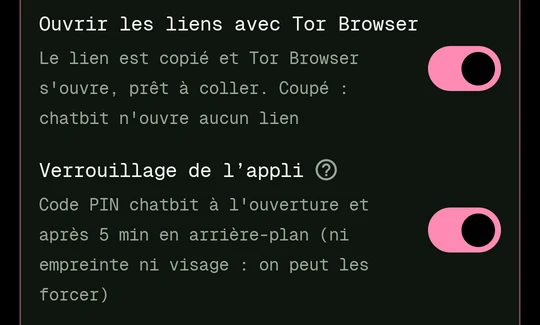
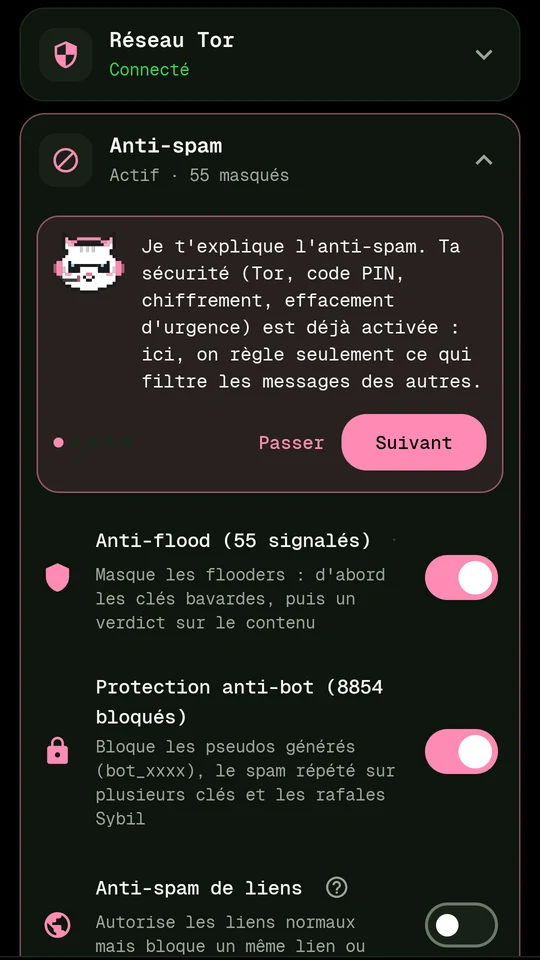
Message floods are detected and hidden, bots are automatically blocked, mass links and malicious characters are filtered. Everything happens on the phone; the mascot shows you what to check.
Get and share the appEven without internet, from phone to phone
Version 2.3.8 for Android 8 and up. Download chatbit (33 MB) works on all phones. The lite version (18 MB) works on most recent phones; if it refuses to install, take the other one. Android will ask you to allow installation from your browser: that's normal outside the Play Store.
Verify file authenticity
Both files are signed by chatbit's key. SHA-256 fingerprint of the certificate:
cb:e4:fc:9f:fa:3b:c8:e3:f9:0d:fb:46:19:4d:d3:4e:1b:1c:81:6f:9c:6e:ed:e1:57:a8:b1:eb:43:2f:69:11
File checksums: SHA256SUMS.
chatbit also checks its own signature every time it starts: if the installed copy has been tampered with, it warns you.
VirusTotal Report
Version 2.3.8, analyzed on November 2, 2026: no detection for both files (68 antivirus each). The other engines can't read APKs.
Check it yourself:
- Open virustotal.com, in the « File » tab.
- Drop the downloaded .apk file. No account required.
- Without uploading the file: in the « Search » tab, paste its SHA-256 hash (from the SHA256SUMS file above). If the report loads, it's the exact same file.
Compute the hash on your computer: sha256sum chatbit-universal.apk (Linux, Mac), certutil -hashfile chatbit-universal.apk SHA256 (Windows).
No internet, phone to phone
Your friend doesn't have chatbit and there's no network? Your phone becomes a small distribution point.
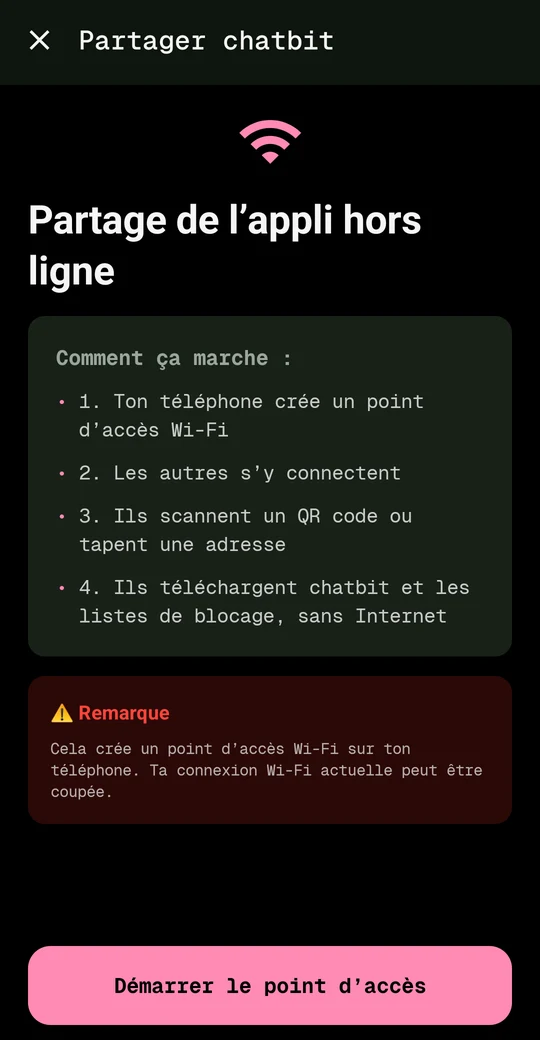
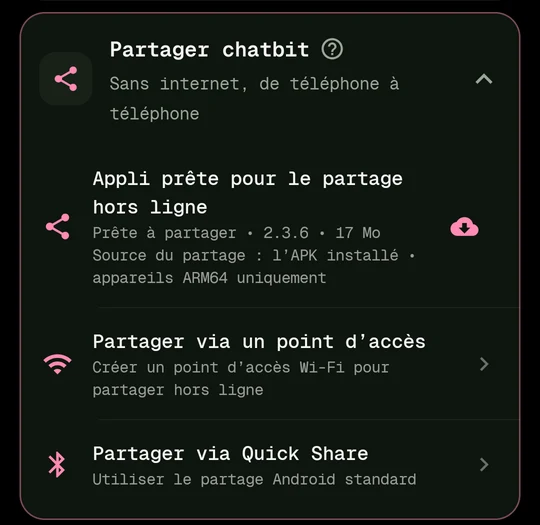
- Settings → Share via hotspot → Start.
- Your friend connects to the Wi-Fi
DIRECT-BC-chatbit-…(it appears in their Wi-Fi list) or scans the QR code. - They scan the second QR code: a page opens, and chatbit shows them where to tap.
- They install the app. Android asks to allow “unknown sources”: that's normal outside the Play Store.
To make sure you don't leave it on, an orange banner appears on the home screen with a Stop button, and the hotspot turns itself off after an hour without visits.
Optional Announce on the mesh: chatbit users around you are notified that the app can be installed here. They can bring their friends along. Your position is never announced.
Use casesFestival, outage, hike, travel…
Festival, concert
Network overloaded? Find your friends and share a meeting point in the festival tile.
Outage or disaster
No signal: the mesh keeps going. News spreads from person to person, and so does the app.
Hiking, dead zone
A group scattered across a valley stays in touch with no network.
Travel without a data plan
Abroad, chat with your group without data or a local SIM.
Gathering
No phone number to share, duress code, panic wipe: organize without exposing yourself.
Campus, club, worksite
A private chat room for the team, a neighborhood chat room for everyone.
Step-by-step guidesGetting started, private messages, emergency…
Getting started
- Choose a PIN (4 to 8 digits).
- Then choose a duress code of the same length: only enter it when under threat.
- Allow Bluetooth and “nearby devices”: without them, no mesh.
- chatbit walks you through the screen, pointing out each button.
Change chat room or zone
Tap the chat room name at the top right (#mesh by default). Choose a level (neighborhood, city…) or open the map with the globe to pick another tile. The bookmark keeps a chat room in your favorites.
Send a private message
Tap the people icon, then a username. Or tap the envelope at the top of the screen to find your conversations: it turns orange when a message is waiting for you.
Create a private chat room
Open private chat rooms, create one, then share the invitation. Only chatbit users can join it. Free for up to 10 members.
Share the app without internet
Settings → Share via hotspot. See the dedicated section. Remember to turn it off with the orange banner when you're done.
In case of emergency
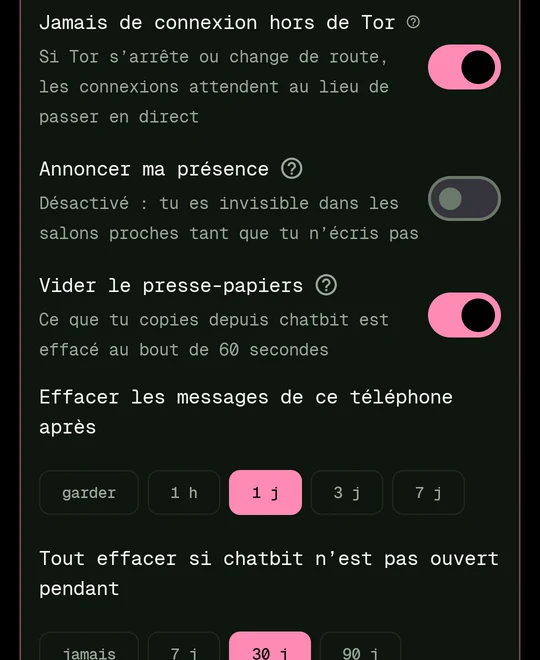
Tap the chatbit logo three times: everything is wiped immediately. If you're forced to unlock the phone, enter the duress code. By default, messages disappear after 24 hours and everything is wiped if the app isn't opened for 30 days.
Too much spam?
Settings → Anti-flood and lists. Block a username with a long press, or load a shared block list.
PricingFree forever, Pro optional
chatbit is free and always will be. Pro pays for dedicated servers for those who need them.
Free
- Mesh, zones, private messages
- All the security
- Anti-flood and bot blocking
- A short ad video before anti-spam and advanced settings
- Private chat rooms for up to 10 members
- Offline sharing
Pro
- No ads
- Unlimited private chat rooms
- Admin roles, expiring invitations
- 30-day history
- Dedicated chatbit relay on .onion
Founder
- All Pro
- Price locked forever
Team / Organizer
- Associations, collectives, festivals
- Large rooms co-managed
Event pass
- A festival, a gathering
- All Pro for the event duration
No account required, even for Pro
The subscription grants anonymous tokens: the server knows access is paid for, not who paid.
Indicative prices including tax. Pro is not yet on sale.
Frequently Asked QuestionsAccount, iPhone, battery, unknown sources
Do you need an account or phone number?
No. You choose a nickname, that's all.
What about iPhone?
chatbit is on Android. On the mesh and in zones, it communicates with the iPhone bitchat app. Private rooms are reserved for chatbit.
Does it drain the battery?
Bluetooth Low Energy is power-efficient. Background mode can be turned off in settings.
Who sees my messages?
Room messages are public for people in the room. Private messages and private rooms are end-to-end encrypted.
Why «unknown sources»?
Android requires this for any app installed outside the Play Store. The shared app is the same, signed with the same key.
PrivacyThe app, this site and our YouTube channel
What chatbit, this site and our YouTube channel's publishing tool do with your data: almost nothing, and here are the details.
The chatbit app
No account, no phone number, no email, no address book, no telemetry. Your messages and your keys stay encrypted on your phone. Messages that travel over the internet go through Tor and public Nostr relays; private messages are end-to-end encrypted there. The version from this site shows no ads; the Play Store version may offer an optional video ad, provided by Google AdMob.
This site
No cookies, no trackers, no external fonts or scripts. The server counts downloads without keeping your IP address. Your theme and language choices stay in your browser.
Our YouTube publishing tool
chatbit publication is the private tool that publishes the videos of the ChatBit channel. It only acts on that channel's account, through the YouTube Data API: it uploads the videos with their title, description and publish date, sets their thumbnails, files them into playlists and checks that they went live. No one else signs in to it.
Google data
The access token stays on the channel owner's computer and only ever goes to Google. No data is sold, shared, used for advertising or used to train AI. The use of information received from Google APIs complies with the Google API Services User Data Policy, including its Limited Use requirements, as well as the YouTube Terms of Service and the Google Privacy Policy. Access can be revoked at any time from the Google Account permissions.
Any questions about your data: contact@pro-dig-it.com
Thanksbitchat, Jack Dorsey, and free software
chatbit is built on bitchat, the mesh messaging app conceived by Jack Dorsey and released as free software in 2025, then ported to Android by its contributors. Thank you to them for proving that you can chat without a cell tower, without an account, and without a server, and for offering this work to everyone.
chatbit is a fork: it takes the bitchat protocol (and remains compatible with it on the mesh and in zones) and adds anti-flood, private rooms, a duress code, on-device data encryption, guided offline sharing, and chatbit the mascot.
The code remains free, under the GPL v3 license.